Settings & Preferences
Manage your account, appearance, security, and more. Settings are organized into four sections: General, Security, Account, Advanced, and Legal.
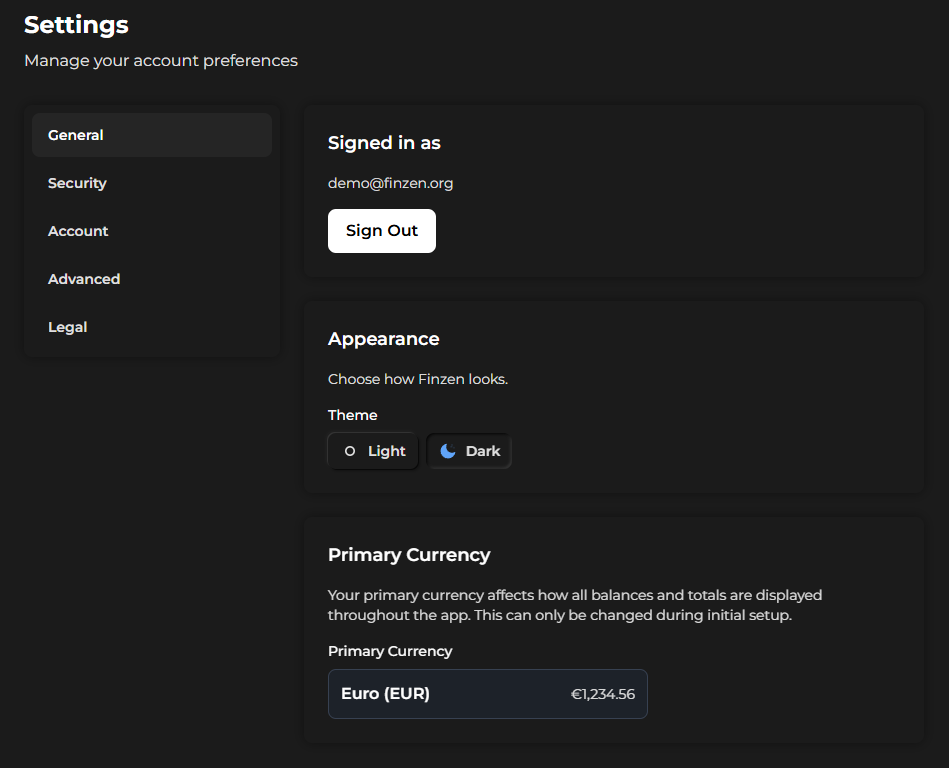
The Settings page, open on the General tab.
General
The General tab is the default view when you open Settings.
Account info & sign out
Your currently logged-in email address is displayed here. To log out of your current session, click Sign Out.
Appearance
Switch between Light Mode and Dark Mode using the appearance selector. Your preference is saved to your account.
Primary currency
Your primary currency is shown here for reference. This is the currency used across the entire app — for budgeting, net worth, and all reports.
Once set during setup, your primary currency is locked to your account. If you need a different primary currency, you will need to use Start Over (in the Account tab) or create a new account. There is no way to change it in place.
Security
Change password
To update your password, enter your current password, then your new password, and click Change Password.
If you signed up with Google or Apple, you may not have a password set. Use the Forgot Password flow from the login screen to create one before you can change it here.
Active sessions
Finzen tracks how many devices or browser sessions are currently logged in to your account. The session count is displayed here.
Closing a browser tab without logging out does not always end the session cleanly, which can cause the counter to drift over time. This is a known limitation. The counter is informational — do not rely on it as an exact figure.
Sign Out Everywhere
Click Sign Out Everywhere to immediately revoke all active sessions across all devices. After doing this, you will need to log in again. This is the reliable way to ensure no lingering sessions remain active.
Account
Account details
This tab shows your email address and the date your account was created.
Email preferences
Choose whether to receive marketing emails from Finzen. You can opt in or opt out at any time.
Danger Zone
The options below cannot be undone. Finzen does not keep backups of your data. Proceed only if you are certain.
Both actions require you to confirm by entering your password before they execute.
If you signed up with Google or Apple, you may not have a password. Use the Forgot Password flow from the login screen to set one before using these options.
Start Over
Wipes all your data — transactions, accounts, budget history, and settings — and resets your account to a blank state. When you log back in, you will be taken through the setup wizard as if it were a new account. Your login credentials are preserved.
Delete Account
Permanently deletes all your data and your Finzen account. You will be logged out immediately and your email will be released. There is no way to recover your account or data after this.
Advanced
API connection status
Finzen connects to external price data providers to keep your investment values up to date. The API Connection Status panel shows the connection health for each asset class individually.
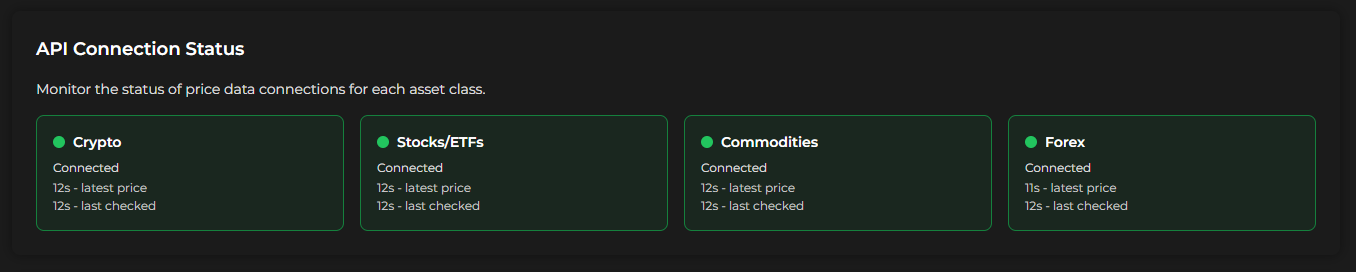
API connection status panel with per-asset-class indicators.
For each asset class, you can see:
- Status — whether the connection is active (Connected / Disconnected)
- Latest price — how long ago the most recent price data was received
- Last checked — how long ago Finzen last polled for new data
The asset classes shown are:
| Asset class | Description |
|---|---|
| Crypto | Cryptocurrency price feeds |
| Stocks / ETFs | Stock and ETF market data |
| Commodities | Physical commodities (gold, silver, oil, etc.) |
| Forex | Foreign exchange rates |
When you refresh prices elsewhere in the app, the timers here reset to reflect the latest check.
If a connection goes down, your portfolio values may stop updating. This panel lets you see at a glance whether Finzen is receiving fresh data — useful for diagnosing why a price might look stale.
Like the session counter, this panel can sometimes display stale information. If something looks off, try refreshing the page.
Legal
The Legal section provides links to Finzen's policy documents:
- Privacy Policy — how your data is collected, stored, and used
- Terms of Service — the terms governing your use of Finzen
- Cookie & Storage Policy — how Finzen uses cookies and browser storage
- Imprint — legal entity information