Quick Start
Tracking your finances takes discipline — but Finzen makes the habit as simple as it gets. Think of it like tending to a bonsai tree: a few mindful minutes each day, and over time something beautiful takes shape. Here's the core loop — everything you need to know to actively use the app.
When you first log in, an onboarding wizard walks you through steps 1 and 2 below. You can follow it or skip ahead and set things up from the dashboard. Want to start over with the onboarding wizard? Settings > Account > Start Over
We recommend using the onboarding wizard for initial setup. More information in setup.
Your Accounts
Before anything else, tell Finzen where your money lives. Add each of your bank accounts, credit cards, and cash accounts so that your transactions and budget reflect your real financial picture.
You'll find the Accounts list directly on the dashboard. Click Add account to add your first one.
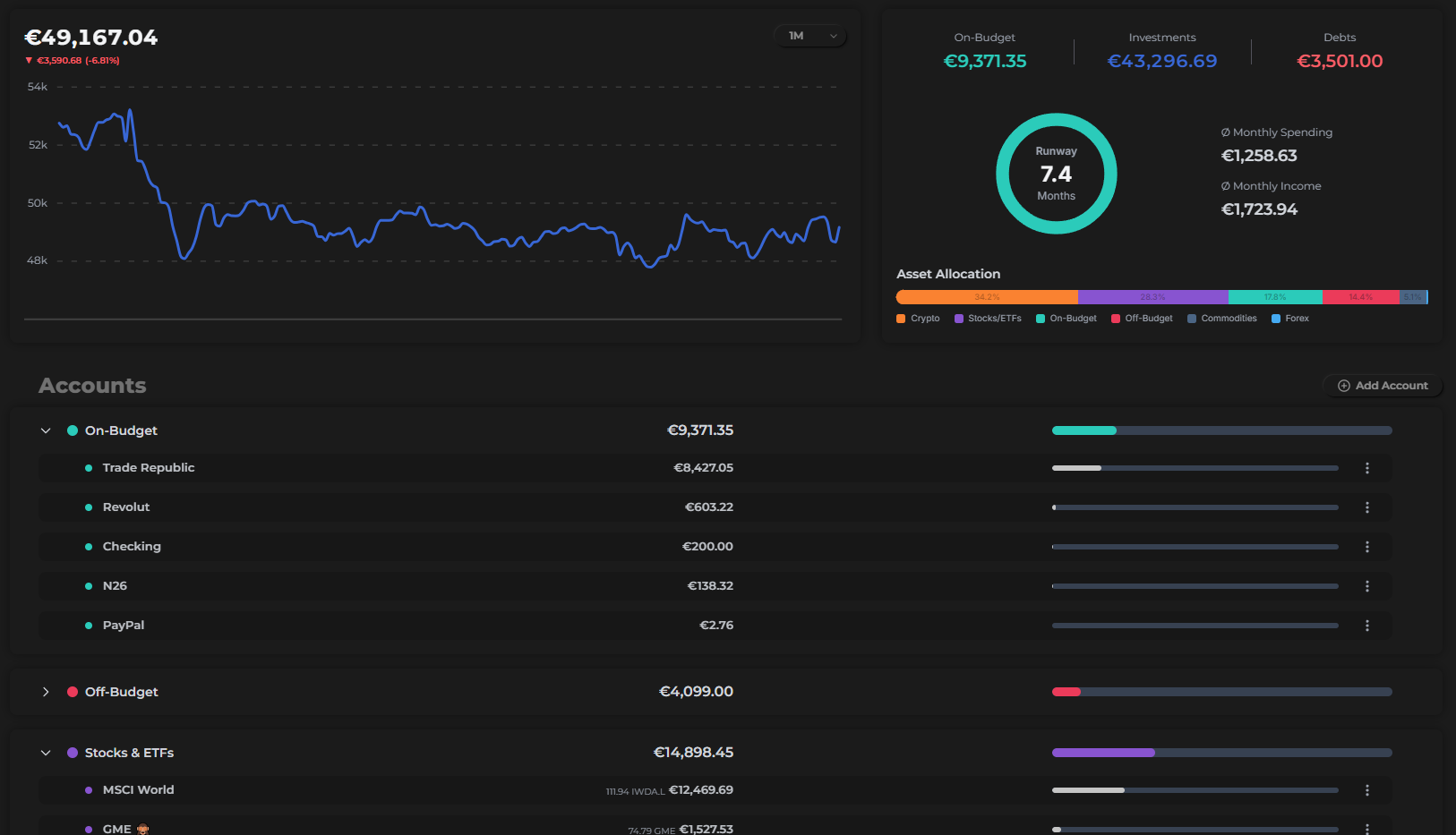
- Budget accounts — everyday accounts (checking, credit cards, cash) whose transactions flow into your envelope budget.
- Off-budget accounts — savings accounts or debts (mortgages, loans) tracked for net worth but separate from your daily spending.
- Investment accounts — hold your investments (stocks, ETFs, crypto, etc.) and are tracked separately in the Portfolio report.
More detail in the Accounts section.
Budget Categories
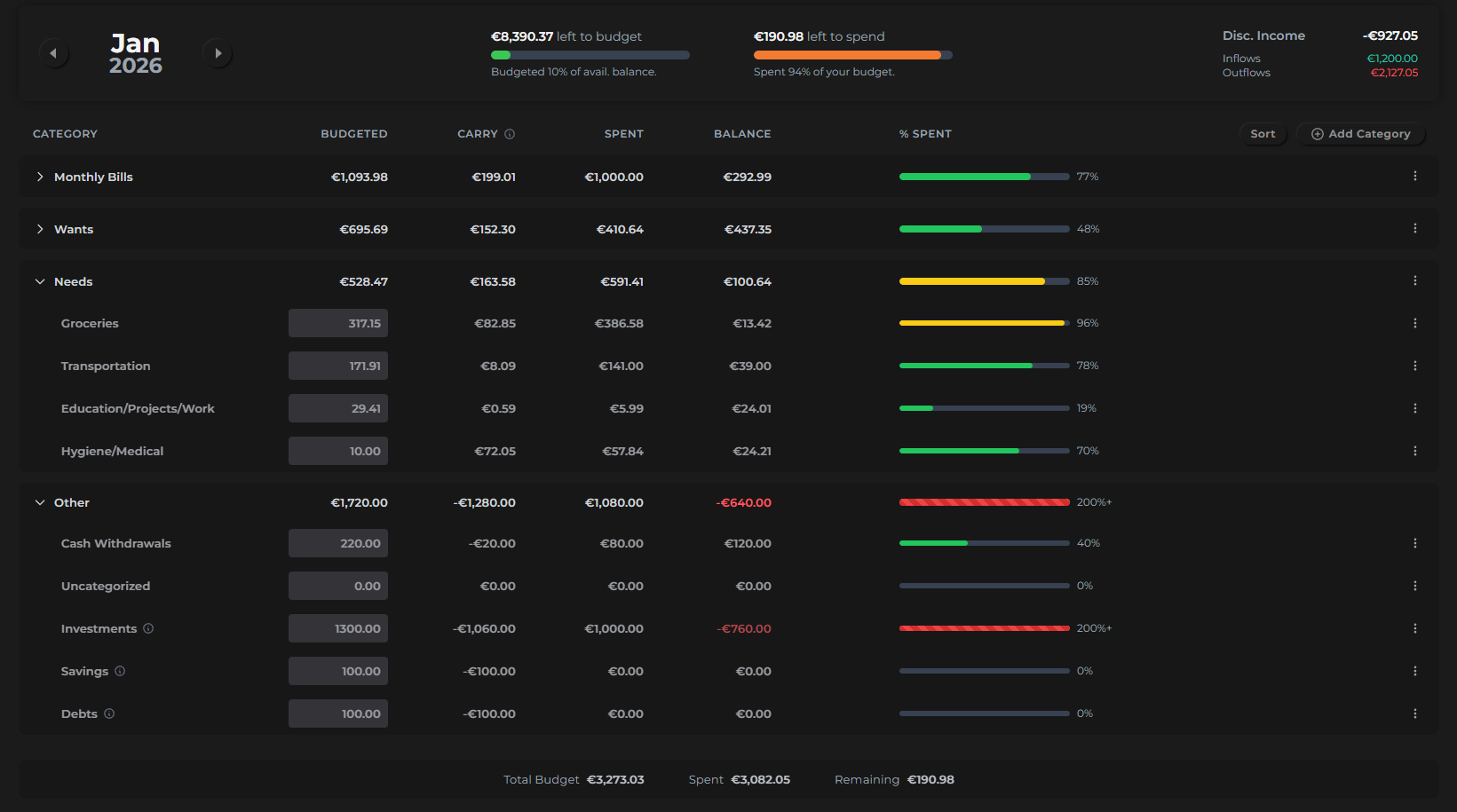
Next, organize your spending into categories. Finzen uses a two-level structure:
- Master categories — broad groupings (e.g. "Monthly Bills", "Needs", "Wants")
- Subcategories — specific envelopes within each group (e.g. "Groceries", "Transportation", "Hygiene/Medical")
You create these on the Budget page. Organize them however makes sense for your life — there's no right or wrong structure.
Assign a Monthly Budget
Once your categories are set up, give each one a spending limit for the month. Click any subcategory row and type in the amount you want to budget for that envelope.
Do this at the start of each month — or at the end of the previous one — to give every dollar a job before the month begins.
The goal is to assign all of your expected income across your categories so that nothing is left unallocated. Every dollar has a destination. This is the foundation of envelope budgeting.
Log Your Transactions
This is the daily habit that makes everything work. As you spend, earn, or move money, log each transaction manually. It only takes a few seconds per entry.
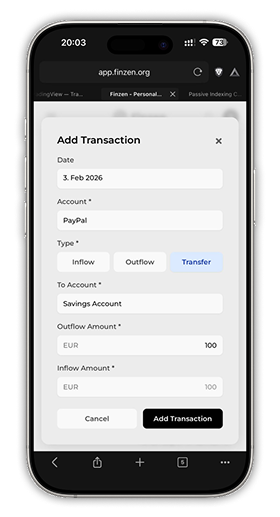
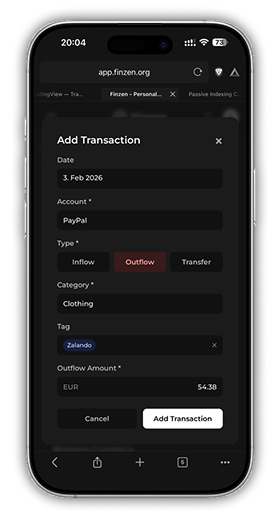
Click the + button (available from anywhere in the app) to open the transaction form:
- Date — auto-filled with today
- Account — which account the money came from or went to
- Type — Inflow (money in), Outflow (money out), or Transfer (between your accounts)
- Category — which envelope (subcategory) it belongs to
- Tag — optional label for extra organization (e.g. "Work", "Holiday")
- Amount — what was spent or received
Most users spend 2–3 minutes a day logging transactions — often over morning coffee or at the end of the day. That small, consistent habit is what turns raw data into genuine financial awareness.
The Payoff: Rich Visual Reports
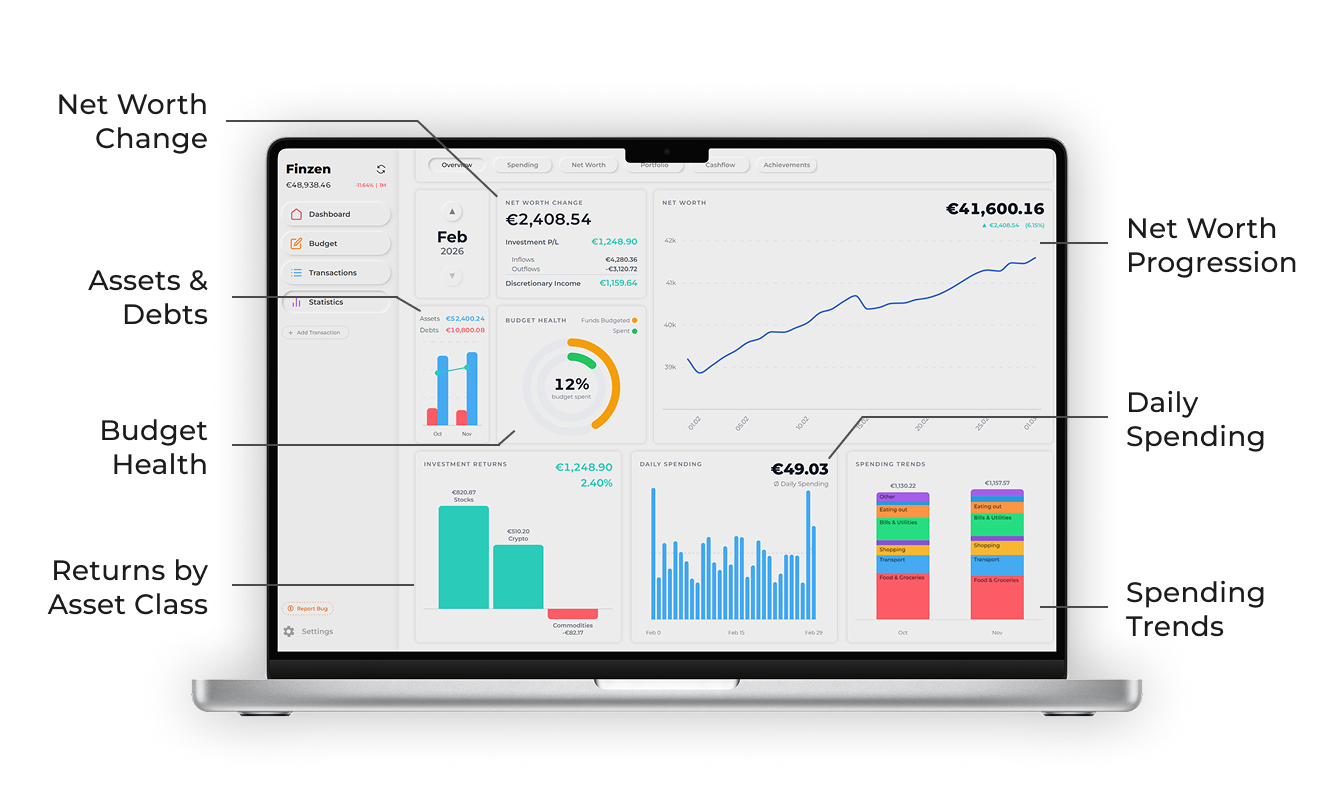
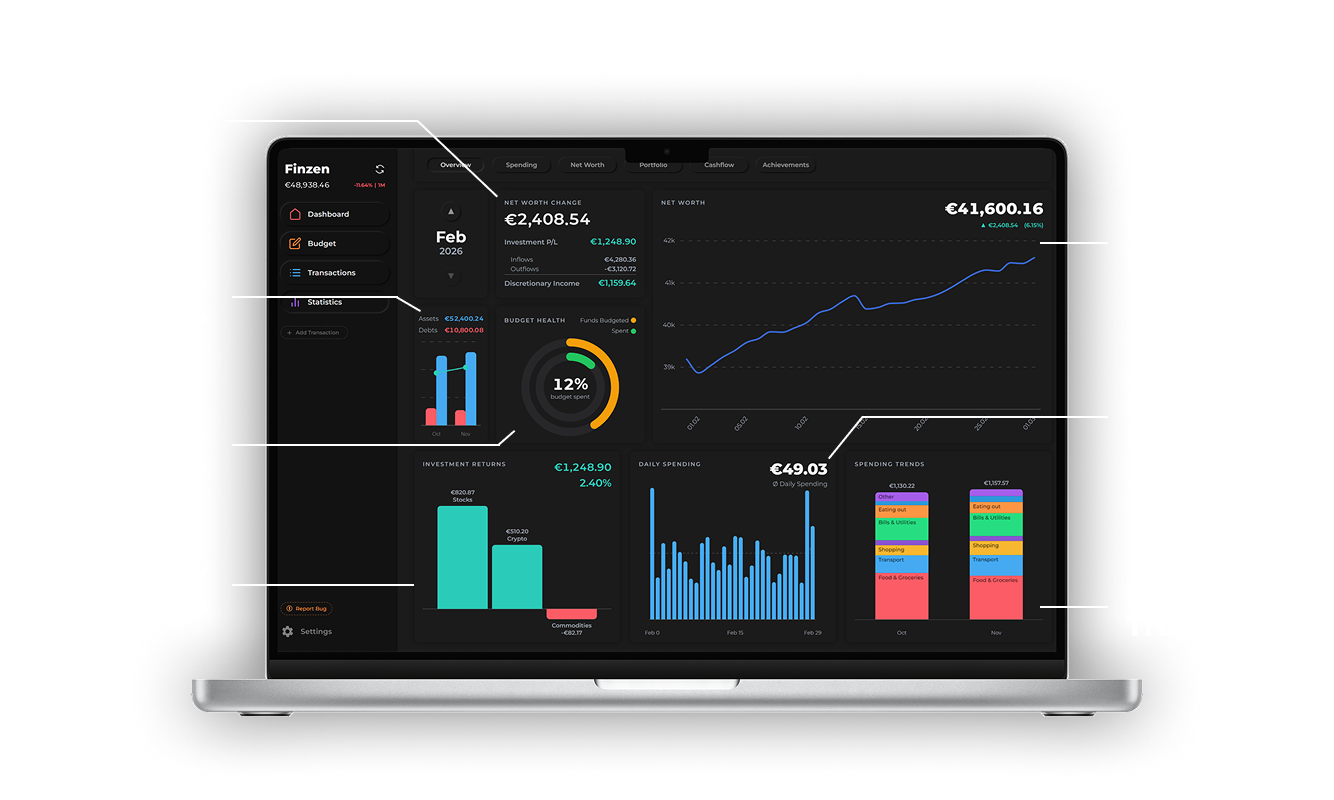
Every transaction you log, every budget amount you set — it all feeds into Finzen's visual reports. Your spending trends, net worth over time, investment performance, and cash flow all tell the story of your money in one place.
Where to Go Next
- Setup — Configure your currency, profile, and preferences before you start
- Adding Accounts — A full guide to account types and how to set them up
- Envelope Budgeting — Understand the budgeting method behind Finzen
- Transactions — Everything about logging, editing, and organizing transactions